By Christina Ison August 19, 2026
A store can be fully authorized to accept SNAP and still be unable to process a single WIC purchase. WIC uses a separate vendor approval process, state-specific food rules, an Approved Product List, and an eWIC payment environment that must meet program requirements.
That distinction matters for grocery stores, supermarkets, convenience stores, independent food retailers, store managers, POS administrators, and payment teams. An FNS authorization number that allows a retailer to accept Supplemental Nutrition Assistance Program benefits does not automatically provide WIC retailer authorization.
The typical path for adding WIC to a store that already takes SNAP looks like this:
Existing SNAP Store → WIC Vendor Application → Store/Inventory Review → Vendor Approval → eWIC POS Certification/Setup → APL Loading → Staff Training → WIC Transactions
The exact order and requirements vary because WIC is administered through state agencies under the federal Special Supplemental Nutrition Program for Women, Infants, and Children.
A retailer should therefore treat federal guidance as the framework and its state WIC agency, vendor handbook, vendor agreement, Approved Product List, and eWIC instructions as the operating rules for the store.
State agencies can impose vendor requirements within that federal framework, so operational details should always be checked against current state instructions before a store changes inventory, buys equipment, or begins WIC transactions.
This guide explains the practical differences between SNAP authorization, WIC vendor authorization, eWIC transaction processing, state WIC food rules, merchant acquiring, POS certification, settlement, and ongoing compliance.
SNAP and WIC Are Separate Programs
SNAP and WIC may appear together at a grocery checkout because both help eligible households purchase food, but they are not interchangeable payment programs. Their retailer approval processes, eligible-product rules, transaction systems, and compliance structures operate differently.
SNAP retailer authorization is handled by the USDA Food and Nutrition Service. A store seeking to accept SNAP generally applies through FNS and must qualify as an eligible retail food store under federal program rules. Retailers can review current requirements through the USDA’s SNAP retailer resources.
WIC follows another path. Although WIC is federally funded and governed by federal requirements, state WIC agencies administer food delivery and authorize participating vendors. Depending on the jurisdiction, the WIC program may operate through a state health department, human services department, or another designated agency.
This creates a separate WIC SNAP authorization structure. A SNAP authorization number proves that the location has been approved to accept SNAP; it does not establish that the store meets WIC stocking standards, pricing requirements, vendor-selection criteria, training requirements, or eWIC technology requirements.
The payment environment also differs. SNAP EBT generally determines whether an item falls within SNAP’s broad food eligibility rules. WIC benefits, by contrast, are associated with specific food benefits issued to the participant.
The checkout system must determine whether the exact product being purchased matches both the participant’s available benefits and the state’s approved-product data.
Merchant acquiring is another separate function. A processor or acquiring relationship that handles ordinary Visa, Mastercard, debit, or other commercial card payments does not grant government-program authorization. Likewise, having an EBT-capable merchant account does not by itself make the business an authorized WIC vendor.
SNAP Authorization vs. WIC Authorization
The following comparison shows why accepting WIC and SNAP requires separate planning.
| Issue | SNAP | WIC |
| Retail authorization authority | USDA Food and Nutrition Service authorizes SNAP retailers | Applicable state WIC agency authorizes WIC vendors under federal requirements |
| Eligible-item logic | Federal SNAP eligibility rules cover qualifying foods and exclude prohibited categories | Benefits are limited to prescribed WIC food categories and products permitted under state food rules/APL data |
| Store stocking requirements | Retail food stores must meet applicable federal SNAP store eligibility criteria | State WIC agencies may establish minimum stocking, variety, brand/category, or other vendor inventory requirements |
| POS requirements | SNAP EBT-capable equipment and processing arrangement must support authorized SNAP transactions | POS or terminal must support the applicable state’s eWIC environment and required certification or approval |
| Product list | No state WIC-style APL controls all SNAP item eligibility | State WIC Approved Product List identifies products recognized as WIC-eligible in the eWIC environment |
| Vendor monitoring | FNS administers SNAP retailer compliance and enforcement | State WIC agencies conduct vendor monitoring under federal and state rules |
| Pricing oversight | Retailers follow SNAP program requirements and normal store pricing practices | State WIC programs use competitive-price and allowable-reimbursement controls within federal requirements |
| Training | SNAP retailers must understand applicable program rules | State agencies commonly require WIC vendor training under their vendor-management procedures |
The most important takeaway is straightforward: approval for one program is not authorization for the other.
Can a SNAP Store Automatically Take WIC?
No. A retailer that accepts SNAP must separately become an authorized WIC vendor before accepting WIC benefits.
Adding WIC to a SNAP store therefore starts with the WIC agency serving the store’s physical location, not with the store’s existing FNS number or ordinary card processor.
The retailer should locate its state WIC vendor information, obtain the current vendor handbook or application materials, and determine whether the state is accepting applications for that location and store type.
A state may consider factors beyond whether the business sells food. Vendor-selection requirements can address inventory, pricing, store characteristics, business history, participant access, ownership information, compliance history, and other criteria permitted by the program. States may also determine whether additional WIC vendors are needed in an area.
That means a successful SNAP application does not guarantee a successful WIC vendor application. SNAP and WIC retailer requirements overlap in some practical areas—such as operating a legitimate food store and maintaining qualifying inventory—but they are evaluated under different program rules.
Retailers should also avoid activating an eWIC terminal merely because their technology provider says the equipment is technically capable of processing a transaction. WIC authorization for retailers comes first. The state or its designated eWIC partners then determines how the approved location should be boarded into the transaction environment.
The USDA WIC program provides federal information, but the state’s WIC vendor materials should control store-level implementation where state requirements apply.
WIC Vendor Application Process and Retailer Eligibility
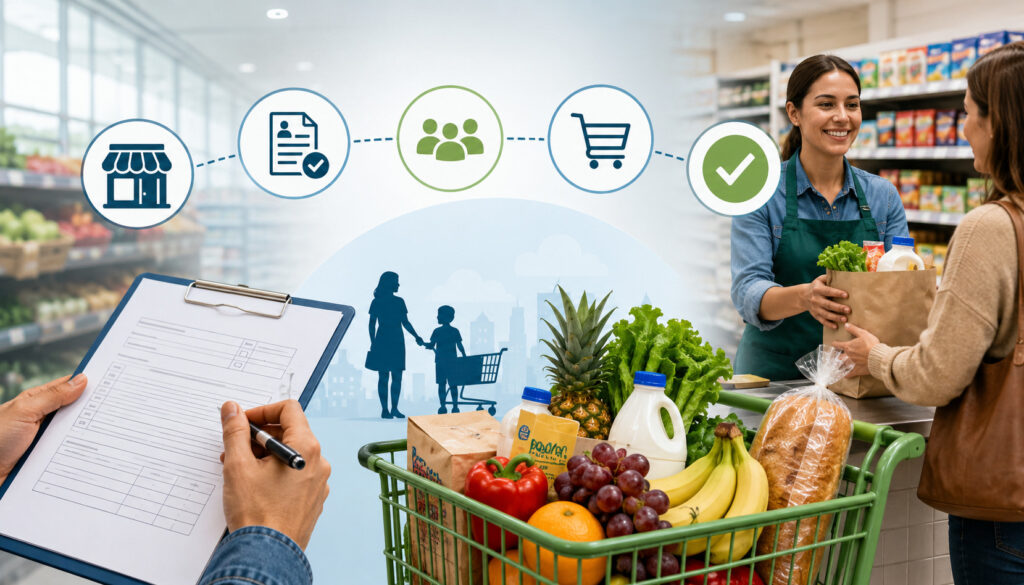
The WIC vendor application process differs by state, so there is no single nationwide application sequence, approval period, fee, inspection schedule, or stocking quantity that can safely be applied to every retailer. A store should obtain current instructions directly from its WIC state agency before making financial or operational commitments.
A general process often looks like this:
- Identify the state WIC vendor agency: Locate the official vendor-management office responsible for the store’s address.
- Review vendor eligibility criteria: Determine whether the location, ownership, store type, hours, inventory, and other characteristics meet current requirements.
- Submit the State health department WIC application or equivalent state-agency application.
- Provide ownership and store information: Required information can include business identity, ownership, licenses, tax information, store details, and disclosures requested by the agency.
- Document required inventory: Stores may need to demonstrate that required WIC foods are stocked and obtained through legitimate commercial sources.
- Complete required training: The owner, manager, or designated staff may have to complete WIC store compliance training.
- Complete a preauthorization review or inspection when required.
- Execute the WIC vendor agreement: Authorization normally creates formal obligations between the state agency and retailer.
- Complete eWIC POS or terminal setup: This may involve an approved eWIC processor, certified software, equipment configuration, testing, and APL synchronization.
- Begin accepting WIC only after final authorization and activation.
The state may perform these steps in another order or combine several steps. A retailer should not assume that completing an application alone means the store is approved.
What WIC Agencies May Evaluate
WIC retailer requirements are not identical nationwide, but state vendor-selection procedures commonly evaluate several aspects of the store’s operation.
A state may consider whether a retailer operates from a permanent retail location, maintains appropriate business licenses, meets specified operating requirements, carries required WIC foods, and can provide sufficient participant access.
Store type, ownership history, previous program sanctions, pricing practices, and the retailer’s ability to comply with WIC procedures may also matter.
Some state agencies use vendor-selection criteria to manage the number and distribution of participating stores. A technically qualified store therefore may still have to satisfy applicable access, need, or geographic criteria before authorization.
Competitive pricing is another important consideration. Federal WIC vendor-management rules require state agencies to manage vendor prices and reimbursement, but individual state procedures determine how those requirements are implemented. Retailers should not copy a competitor’s assumptions about price limits or peer-group treatment.
WIC Minimum Stocking Requirements, State Food Rules, and the APL
Inventory is one of the biggest operational changes when adding WIC to a store that already takes SNAP. A store’s existing grocery assortment may satisfy its SNAP business needs without satisfying its state’s WIC vendor standards.
State WIC agencies may require authorized stores to keep minimum quantities and varieties of selected WIC foods available both during the application process and after authorization. These requirements are commonly called WIC minimum stocking requirements, minimum inventory standards, or minimum-stock requirements.
Potential categories may include milk, cheese, eggs, breakfast cereal, whole-grain products, fruits and vegetables, infant foods, and infant formula. That list should not be interpreted as a universal requirement for every store: the required categories, brands, package types, varieties, quantities, and exemptions are determined through applicable state rules and vendor materials.
A store considering WIC should create a WIC eligible inventory setup specifically for its jurisdiction. Do not simply make a list of the store’s SNAP-eligible products and label them WIC.
Stocking also has a documentation dimension. State agencies may inspect required inventory or review invoices showing that inventory was purchased through legitimate suppliers. A retailer should retain records in the manner and for the period specified by its vendor agreement and state program.
State WIC Food Guidelines
WIC benefits are designed around specific supplemental food packages. The USDA establishes the federal framework for WIC foods, while state agencies determine their authorized-food lists within applicable federal requirements.
The USDA’s WIC food packages information provides federal background, but retailers need their own state’s current food list for checkout and stocking decisions.
Eligibility may depend on several product characteristics at once:
- Food category
- Brand
- Package size
- Formulation
- Variety
- UPC or PLU
- Participant food benefit
- Current state authorization
For example, two cereals sitting next to one another may both be perfectly ordinary SNAP-eligible groceries while only one combination of brand, variety, and package size is approved for WIC in a particular state.
Food rules also change. Packaging changes, reformulations, new UPCs, discontinued products, federal food-package changes, and state implementation decisions can affect the items a retailer should stock.
For that reason, store managers should distinguish between a printed food guide—which helps humans understand the rules—and the electronic data used at checkout.
What Is a WIC Approved Product List?
A WIC Approved Product List (APL) is the electronic product information used by the applicable eWIC system to identify products authorized for WIC purchase. It is one of the most important differences between ordinary SNAP eligibility and WIC checkout.
Depending on the product, WIC UPC eligibility may be tied to a UPC, PLU, product category, brand, package size, formulation, or other information recognized by the state’s system. The APL allows the POS to compare a scanned item with products recognized by the state.
At checkout, having a product on the APL does not necessarily mean every WIC cardholder can buy it. The participant must also have an appropriate food benefit available in the necessary category and quantity.
The high-level logic is:
State/Processor APL → Store POS/eWIC System → Item Scan → APL Match → Participant Benefit Match → WIC Eligibility Determination
A WIC APL download or synchronization process therefore needs to be treated as operationally important. How the APL is distributed, how frequently the store’s system receives changes, and what staff should do after a failed update depend on the state’s eWIC environment and POS solution.
WIC APL vs. SNAP Eligible Foods
A product being SNAP-eligible does not prove that it is WIC-eligible.
SNAP generally covers foods intended for home consumption subject to federal exclusions and program rules. WIC benefits are much narrower because benefits specify particular supplemental food categories and because states maintain detailed authorized-product rules.
Consider a basket containing bread, milk, cereal, fruit, frozen pizza, and snack foods. Several or all of those items might qualify for purchase with SNAP depending on the products involved. The participant’s WIC benefits, however, may cover only particular approved milk, cereal, whole-grain, or produce items that match the participant’s available benefits.
This is why a dual SNAP and WIC checkout setup needs different item logic for each tender. A cashier should never rely on personal judgment such as, “SNAP pays for this, so WIC should too.”
APL Troubleshooting and Why Staff Must Never Override Eligibility
Several legitimate problems can make an expected WIC item appear ineligible. The manufacturer may have changed the UPC, the shopper may have selected a different package size, a new product may not yet be reflected in the local POS data, or the store’s APL synchronization process may have failed.
When an approved item will not scan, staff should:
- Verify the exact product, package size, and UPC.
- Compare the item with the current state food guidance where appropriate.
- Check whether the register or eWIC system has received current APL data.
- Follow the state’s approved problem-reporting or exception process.
- Contact the POS provider, eWIC processor, or state-designated support channel as appropriate.
- Allow the customer to select another eligible product when appropriate and permitted.
Staff should never make an ineligible item pass by changing UPCs, using a false PLU, substituting an unauthorized item, attaching another product’s barcode, or otherwise disguising an item.
The POS eligibility controls are program controls, not obstacles to be bypassed.
What Is eWIC and What Does the POS Need to Support?
eWIC is the electronic benefit transaction environment used to redeem WIC food benefits. It replaced the traditional paper-based voucher or food-instrument process in WIC programs and enabled the checkout system to evaluate the participant’s benefits electronically.
At a high level, an eWIC purchase works like this:
Participant Card → POS/eWIC System → Available Benefits → APL/Product Matching → Participant Approval/PIN → Transaction Authorization → Updated Benefits → Receipt
That is materially different from treating WIC as another bankcard tender. A regular EMV-capable credit card terminal does not automatically become an eWIC terminal simply because it has a PIN pad.
The system must participate in the state’s approved eWIC transaction environment. Depending on the deployment, that can involve POS software, PIN-entry hardware, communications, eWIC processing services, APL management, receipt functions, settlement capabilities, and transaction-record requirements.
Retailers should get eWIC technical requirements from their state WIC program or the organizations it designates. Federal WIC information is available through USDA FNS, while the eWIC implementation details that affect a particular register must be matched to the state.
eWIC Terminal and POS Requirements
An eWIC-capable checkout environment may need to support functions such as:
- State-approved or certified POS software
- Compatible transaction hardware
- Secure PIN entry
- A current APL
- Participant-benefit inquiry and balance logic
- WIC purchase validation
- Transaction approval and reversal functions required by the system
- Required receipt data
- Transaction logs
- Settlement and reconciliation information
The exact requirements cannot safely be reduced to one hardware model or certification checklist for all states.
This is why retailers evaluating eWIC certified POS systems should ask whether a product is approved for their specific state and implementation, not merely whether the vendor advertises “EBT support.” In the payments industry, EBT support sometimes refers only to SNAP EBT.
Retailers can also review how to manage EBT transactions with a POS system for additional background on register integration, transaction security, and EBT checkout operations.
Certification generally means that the relevant solution has been tested or approved to operate correctly in the applicable eWIC environment. That is much more specific than ordinary payment-card compatibility.
Integrated eWIC vs. Stand-Beside eWIC
Retailers may encounter integrated and stand-beside approaches to eWIC terminal integration. Availability depends on the state, the retailer’s technology, and approved provider options.
| Feature | Integrated eWIC POS | Stand-Beside eWIC Terminal |
| Item scanning | WIC processing is incorporated into the store’s checkout workflow | WIC items may require separate handling through the dedicated device |
| APL integration | APL logic is integrated with the POS/eWIC software | APL functionality is handled through the separate eWIC solution |
| Inventory/POS integration | Stronger connection to register item and sales data | Typically less integrated with store POS and inventory functions |
| Checkout speed | Can reduce duplicate steps when properly configured | May involve additional cashier actions |
| Manual steps | Usually fewer duplicate entries | Potentially more separate entry/scanning steps |
| Best fit | Retailers wanting WIC embedded in their main checkout environment | Retailers using an approved separate solution where the state/program supports it |
An integrated system can make checkout, tendering, transaction records, and reconciliation easier because one register coordinates more of the basket. Integration, however, usually requires the POS software itself to meet the applicable eWIC requirements.
A stand-beside solution can provide another implementation path where permitted, but stores must train employees carefully because WIC transaction steps may occur separately from the main POS.
Neither model should be purchased until the retailer confirms that the state allows or supports it.
Can the Same Terminal Accept SNAP and WIC?
Sometimes—but “same terminal” should not be confused with “same authorization.”
A properly configured POS system may support WIC, SNAP EBT, commercial debit and credit cards, and possibly other tenders from the same checkout lane. That can make the customer experience appear unified.
Behind the screen, however, each payment type follows separate rules. SNAP depends on the retailer’s active FNS authorization and SNAP EBT processing setup. WIC depends on state vendor authorization, participant benefits, approved products, and the eWIC environment. Commercial cards flow through normal merchant acquiring.
Therefore, a POS system for WIC and SNAP must maintain distinct transaction logic even when one PIN pad and register are physically used for both programs.
Dual SNAP and WIC Checkout, Split Tender, Security, and Receipts
A well-designed dual SNAP and WIC checkout setup lets employees ring a mixed basket without guessing which program covers which product. The technology should apply the appropriate WIC product and benefit rules while separately handling SNAP and other tenders.
Suppose a shopper brings WIC-approved cereal and milk, additional SNAP-eligible groceries, and a household item that cannot be purchased with SNAP. The WIC portion can be evaluated against the participant’s available WIC benefits.
Remaining SNAP-eligible food may then be paid through SNAP when permitted by the applicable transaction flow, while the non-benefit merchandise requires another form of payment.
Retailers should obtain current tender-sequencing instructions from their WIC program and POS provider. Stores should not create a nationwide “WIC must always be first” or similar rule unless that sequence is supported by the applicable state/eWIC instructions.
Split-tender processing is one reason integrated checkout can be valuable, but the store’s system and cashier procedures must remain consistent with program rules.
Practical Staff Checkout Workflow
A retailer can build staff training around this high-level workflow while adapting it to state requirements:
- Scan items normally through the approved checkout system.
- Follow the system’s WIC transaction prompts.
- Allow the POS/APL process to determine product eligibility.
- Allow the participant to confirm the WIC purchase when required.
- Have the participant enter the PIN privately.
- Complete the WIC portion according to the approved transaction process.
- Process any remaining balance through SNAP, cash, or another permitted tender as appropriate.
- Provide the required receipt.
- Never substitute or manually override an unauthorized WIC product.
Cashiers should be taught that an eWIC denial does not mean the participant has done anything wrong. The problem may involve product selection, benefit quantity, UPC data, timing, PIN entry, communications, or system synchronization.
PIN and Cardholder Security
Participants should enter their PIN privately. Employees should not request the PIN, record it, enter it on the participant’s behalf except where an expressly permitted program accommodation applies, or attempt to bypass required PIN controls.
The PIN should never be printed on customer receipts or exposed through ordinary store logs. POS administrators should also confirm that troubleshooting tools and diagnostic logs do not expose sensitive authentication information.
Good PIN security is both a customer-service practice and a transaction-control requirement.
Staff should also avoid unnecessarily announcing that someone is using WIC. The checkout process should be handled professionally and discreetly in the same customer-service environment used for other shoppers.
WIC Receipts
eWIC receipts serve a more program-specific purpose than ordinary card receipts. Depending on the applicable system and state requirements, the receipt can contain information related to the WIC foods purchased, benefit usage, remaining benefits, transaction identification, and other required details.
Retailers should configure receipts based on their state’s eWIC specification rather than designing their own abbreviated format. A certified POS solution should support the required information.
Receipt failures should be treated as a system-support issue. Cashiers should not attempt to recreate benefit information from memory.
WIC Vendor Peer Groups, Pricing, Training, and Participant Treatment
WIC vendor management involves more than deciding whether a product is eligible. Federal WIC rules require state agencies to manage vendor pricing and reimbursement, and states implement those responsibilities through their vendor-management systems.
One concept retailers often encounter is WIC vendor peer groups. A peer group is a state-created classification used to compare vendors with other stores that have relevant similarities. Depending on the state’s methodology, characteristics such as store type, geography, size, business characteristics, or sales-related factors may play a role.
Peer groups can support competitive-price evaluation and allowable-reimbursement controls. Retailers should not assume that a neighboring store necessarily belongs to the same peer group or that one state’s peer-group formula applies in another state.
The controlling information should come from the retailer’s state WIC vendor handbook, agreement, price instructions, and agency communications.
WIC Pricing Rules
WIC pricing controls are not the same as an ordinary merchant processor’s transaction pricing. A processor might charge or settle payment services under one arrangement, while the WIC program separately applies vendor price and reimbursement rules.
State WIC programs may use shelf-price information, competitive-price criteria, price surveys, peer-group comparisons, maximum allowable reimbursement methods, or related vendor-management controls consistent with federal requirements.
Stores should maintain accurate shelf pricing and follow state instructions when prices change. A retailer must not inflate a product’s price because the shopper is paying with WIC.
WIC managers should also distinguish the retail selling price recorded by the POS from the amount ultimately paid or settled through the program. If a transaction is adjusted by applicable WIC reimbursement rules, the accounting team needs enough detail to identify the difference.
Exact price limits and methodologies are state-specific and should never be copied from an unofficial source or another state’s vendor handbook.
Vendor Training and Staff Changes
WIC agencies commonly require vendors to participate in training. Topics can include approved foods, eWIC checkout procedures, APL rules, substitutions, participant treatment, receipts, pricing, sanctions, recordkeeping, and transaction troubleshooting.
The authorized vendor should turn that agency training into store-level procedures for every employee who may handle WIC. Seasonal cashiers and recently hired staff create particular risk when managers assume they learned WIC procedures during general register training.
Training should distinguish WIC from SNAP clearly:
- SNAP authorization does not equal WIC authorization.
- SNAP eligibility does not equal WIC product approval.
- Cashiers do not decide WIC eligibility manually.
- A rejected product cannot be forced through as another item.
- Customer PINs remain private.
- Returns and exchanges follow WIC-specific rules.
- Suspected system errors should be escalated through approved channels.
Maintain training records when required by the vendor agreement or state agency.
WIC Participant Treatment
WIC participants should receive respectful and consistent customer service. Stores should follow applicable federal civil-rights requirements and any customer-service obligations established by the WIC agency.
Employees should avoid embarrassing participants, commenting on benefit eligibility, unnecessarily announcing that a customer uses WIC, or directing WIC shoppers to inferior service solely because of the payment program. Stores should also never charge unauthorized additional fees simply because WIC benefits are being used.
A cashier facing an eligibility problem should focus on the product and system response rather than the shopper. “This size isn’t being accepted by the system” is more useful than treating the customer as though they caused the denial.
Inspections, Monitoring, Records, Fraud Prevention, and Sanctions
Authorization is the beginning of WIC compliance, not the end. State WIC agencies have vendor-monitoring responsibilities and may use multiple tools to determine whether authorized retailers continue meeting program requirements.
Depending on the state and circumstances, WIC retailer monitoring can include preauthorization visits, inventory reviews, price monitoring, transaction analysis, compliance investigations, follow-up reviews, or other activities authorized under federal and state rules. Stores should consult their own vendor materials rather than assuming a fixed inspection frequency.
Managers should keep required WIC inventory available, maintain accurate prices, keep eWIC equipment functioning properly, preserve required documentation, and make sure employees continue following checkout rules.
The safest compliance approach is to build WIC into normal store controls instead of preparing only when an inspection is expected.
Recordkeeping and WIC Inventory Documentation
A state WIC vendor agreement may require the retailer to retain documentation supporting inventory purchases, prices, sales, training, transactions, or other compliance areas.
Supplier invoices are especially important where the agency needs to confirm that a retailer legitimately acquired required WIC foods. Stores should maintain authentic invoices from legitimate suppliers and preserve enough detail to identify the goods purchased.
Do not fabricate an invoice, alter purchase documentation, or create a paper transaction merely to make minimum stock appear compliant.
Retention periods differ. Retailers should follow the period specified by applicable WIC regulations, state instructions, the vendor agreement, and any relevant tax or business-record obligations rather than using an arbitrary nationwide retention rule.
WIC Fraud and Trafficking Prevention
Retailers should train employees and managers to recognize prohibited conduct and escalate concerns appropriately.
Examples of practices that should never occur include:
- Exchanging WIC benefits for cash
- Charging for foods the participant did not receive
- Substituting unauthorized products
- Misrepresenting one product as another eligible product
- Inflating WIC prices improperly
- Structuring transactions to evade program controls
- Buying or attempting to purchase benefits from participants
- Entering false UPC or PLU information to create eligibility
These protections should be built into POS permissions as well as employee policy. Cashiers generally should not have tools that allow them to manipulate WIC eligibility fields casually.
Vendor Sanctions and Cross-Program Consequences
Violations of WIC rules can have serious consequences. Depending on the applicable violation and governing rules, consequences may include corrective action, claims or repayment, suspension, disqualification, or other sanctions.
Retailers should also understand that SNAP and WIC are separate programs but not completely isolated from one another for enforcement purposes. Federal rules provide for cross-program consequences in certain circumstances involving SNAP and WIC disqualifications, subject to the applicable regulatory conditions and exceptions.
Because the consequences depend heavily on the specific violation, retailers should consult current federal regulations, state WIC materials, and professional counsel when dealing with an actual sanction. Do not assume that losing authorization in one program can never affect the other.
Current federal WIC vendor provisions can be reviewed in 7 CFR Part 246.
WIC Settlement, Reconciliation, Denials, and Returns
Payments teams should account for WIC and SNAP separately even when the same checkout lanes process both tenders. Combining the two into one generic “EBT” total can make troubleshooting harder and can hide differences between POS totals, processor reports, and bank deposits.
At a high level, the WIC settlement process looks like this:
eWIC Transaction → Processor/State Environment → Settlement → Bank Deposit → POS/Accounting Reconciliation
The exact settlement mechanics depend on the eWIC implementation and provider relationships. A retailer should obtain deposit timing, settlement-report, exception, and support procedures from the organizations designated for its WIC program.
SNAP should have its own reconciliation process. Commercial debit and credit card activity should also remain distinct.
A basic daily reconciliation report can look like this:
| Tender | POS Total | Processor/Program Total | Bank Deposit | Difference |
| WIC | $ | $ | $ | $ |
| SNAP | $ | $ | $ | $ |
| Credit/debit | $ | $ | $ | $ |
| Cash | $ | N/A | Deposit/cash control | $ |
Keeping separate tender totals makes it easier to investigate missing batches, incorrect register mappings, settlement adjustments, duplicate transactions, or accounting errors.
WIC Transaction Denials and Errors
Not every WIC denial indicates a technical failure. Common situations can include:
- Product not recognized on the current APL
- Wrong brand or package size
- Participant does not have the applicable benefit
- Insufficient remaining benefit quantity
- Benefit-period issue
- Card or PIN problem
- Communications problem
- POS or APL synchronization issue
- Incorrect local item data
For broader SNAP EBT troubleshooting procedures, see this guide on how to handle EBT card declines in your store. WIC-specific denials should still be handled according to the applicable state WIC and eWIC procedures.
Cashiers should follow the message presented by the approved system and use the store’s escalation process when necessary. They should never change product identity or transaction information merely to obtain an approval.
POS support staff should capture legitimate troubleshooting information such as register number, time, transaction reference, UPC, and error message without recording sensitive PIN information.
What to Do When an Approved Item Will Not Scan
When staff genuinely believe a product should be WIC-approved, use a repeatable process:
- Check the exact UPC or PLU.
- Verify the package size and product variety.
- Consult the current state food guidance where applicable.
- Verify that the POS received current APL data.
- Check for recent product or UPC changes.
- Follow the state-approved item-reporting process if one exists.
- Contact the POS/eWIC support organization when necessary.
- Do not force the item through under another code.
This procedure is especially important after manufacturers redesign packaging. A product can look nearly identical on the shelf while using a new UPC that the current eWIC data treats differently.
Returns and Exchanges
WIC refunds, exchanges, voids, reversals, and benefit restoration are highly program-specific. Employees should not treat a WIC purchase like an ordinary cash or credit-card sale.
For example, issuing cash for a product purchased with WIC can conflict with program requirements. Stores should follow the exact return and exchange rules in their state vendor handbook and eWIC operating procedures.
Where a defective, spoiled, incorrectly purchased, or recalled product creates a customer-service issue, staff should use the state-approved process rather than improvising a refund.
Managers should include WIC returns and exchanges in both cashier training and manager override procedures.
Common Mistakes, Setup Checklist, and Questions to Ask Before Launch
The most common implementation mistakes happen when retailers treat WIC as a minor extension of their existing SNAP program. Operationally, it is better to treat adding WIC to a SNAP store as its own authorization and technology project.
Common mistakes include:
- Assuming SNAP approval covers WIC
- Purchasing hardware before confirming eWIC approval or certification
- Treating every SNAP-eligible grocery item as WIC-approved
- Failing to meet WIC stocking requirements by state
- Allowing an APL to become outdated
- Keeping weak supplier-invoice records
- Manually overriding WIC eligibility
- Failing to train new and seasonal cashiers
- Mixing WIC and SNAP settlements into one accounting bucket
- Ignoring state-specific pricing rules
- Missing changes to the vendor agreement
- Failing to retest WIC after POS upgrades
- Assuming a generic PIN pad automatically supports eWIC
A structured implementation checklist can prevent many of these problems.
WIC Setup Checklist
| Area | What to Verify |
| SNAP authorization remains active | Store’s FNS/SNAP status and existing SNAP setup remain valid |
| WIC application approved | State WIC agency has granted authorization |
| Vendor agreement | Current agreement is executed and understood |
| Required inventory | Store meets applicable minimum-stock requirements |
| Store inspection | Any required preauthorization review has been completed |
| Staff training | Required agency training and internal cashier training are complete |
| eWIC-certified POS | Software/system is approved for the applicable state environment |
| PIN device | Approved secure PIN-entry setup is operational |
| APL loaded/current | Correct state APL is available at participating registers |
| Receipt setup | Required WIC receipt information prints correctly |
| Settlement account | Correct bank and settlement configuration is established |
| Reconciliation workflow | WIC and SNAP totals are tracked separately |
| Recordkeeping | Required invoices, transaction data, and other documentation are retained |
Run test transactions or other state-approved validation procedures before opening WIC acceptance to the public. If a store has multiple registers, do not assume that successful configuration of one lane proves all lanes are ready.
Questions to Ask the State WIC Agency or POS Provider
Before launch, retailers should get direct answers to questions such as:
- How do we apply for WIC vendor authorization?
- What WIC stocking requirements apply to this store type?
- Which food list and APL apply to our location?
- How does our system receive APL updates?
- Which POS systems or software versions are currently approved?
- Can our existing SNAP equipment also support eWIC?
- Is an integrated system required or merely available?
- Is a stand-beside eWIC terminal permitted?
- Which organization will serve as the eWIC processor or technical contact?
- What training is mandatory?
- How are WIC vendor peer groups assigned?
- Which competitive-price or reimbursement rules apply?
- How should deposits be reconciled?
- Which records must we retain and for how long?
- What are the state’s return and exchange rules?
- What should staff do when a product believed to be approved is rejected?
- Who should the store contact for APL, settlement, terminal, or card-related problems?
Document the answers. They can become the foundation for the store’s WIC operating procedure and training materials.
Frequently Asked Questions
Can a store that accepts SNAP automatically accept WIC?
No. Adding WIC to a store that already takes SNAP requires separate WIC vendor authorization. SNAP retailers are authorized through the USDA Food and Nutrition Service, while WIC vendors are authorized through the applicable state WIC agency under federal WIC requirements.
An FNS authorization number does not establish that the retailer meets state WIC stocking standards, vendor-selection requirements, training rules, pricing controls, or eWIC technology requirements.
The store must complete the state WIC application and authorization process before accepting WIC benefits. It must also ensure that its POS or terminal is properly approved and configured for the state’s eWIC environment.
How does a retailer apply to accept WIC?
Start with the WIC state agency responsible for the store’s physical location. Obtain its current vendor application instructions, eligibility requirements, vendor handbook, minimum-stock rules, training requirements, and eWIC information.
The application process can involve ownership and business disclosures, store information, inventory documentation, pricing information, training, an inspection or preauthorization review, execution of a vendor agreement, and eWIC technology setup. The exact steps and their sequence vary by state.
Retailers should not rely on another state’s checklist or assume that the process follows their SNAP application. Begin transactions only after the WIC agency has provided the required authorization and the store’s eWIC environment is activated.
Who authorizes WIC retailers?
WIC vendors are authorized by state WIC agencies operating under the federal WIC program. Depending on the jurisdiction, the agency may be housed within a health department, human services agency, or another state organization.
USDA Food and Nutrition Service establishes the federal WIC regulatory framework, but state agencies administer vendor selection and food delivery within that framework.
The applicable state agency therefore controls many practical retailer requirements, including application procedures, vendor agreements, approved foods, training, pricing procedures, monitoring, and technology implementation.
That is why a retailer should consult its state’s official WIC vendor resources rather than treating national information as a complete operating manual.
What are WIC stocking requirements?
WIC minimum stocking requirements are state vendor standards that may require retailers to maintain specified amounts and varieties of qualifying WIC foods. Requirements can differ by state, store category, and other factors established by the program.
Potential categories include milk, eggs, cheese, breakfast cereal, whole grains, fruits and vegetables, infant food, and infant formula, but retailers should not treat that as a universal list. Exact categories, package requirements, quantities, brands, varieties, and exemptions must come from the current state vendor materials.
Stores may also need invoices documenting legitimate acquisition of required inventory. Maintain required stock after authorization, not merely for the application inspection.
What is a WIC Approved Product List?
A WIC Approved Product List, or APL, is the electronic product data used by an eWIC system to recognize products approved for WIC purchase in a particular program.
Eligibility can depend on information such as UPC or PLU, brand, product type, package size, and formulation. At checkout, the POS uses APL information together with the participant’s available food benefits to determine whether the item can be purchased with WIC.
The APL is state-specific. Stores should make sure the applicable APL remains current on participating registers and should follow state or eWIC support procedures when an expected product is missing or incorrectly rejected.
Are all SNAP-eligible foods also WIC-eligible?
No. SNAP and WIC use different eligibility models.
SNAP covers a broad range of eligible foods under federal SNAP rules. WIC benefits are limited to specific supplemental food categories and products authorized under the applicable state’s WIC food rules. A product may therefore be completely eligible for SNAP while being unavailable for purchase with WIC.
Brand, package size, formulation, UPC, PLU, food category, and the participant’s remaining WIC benefits may all affect an eWIC purchase.
Cashiers should allow the approved POS and APL data to determine WIC eligibility instead of assuming that a food qualifies because it can be purchased with SNAP.
What is an eWIC-certified POS system?
An eWIC-certified or approved POS system is a checkout solution that has been tested or otherwise approved for the applicable WIC electronic transaction environment.
The system generally must do much more than send a payment authorization. It may need to use current APL data, match products to benefits, handle secure PIN entry, process benefit information, produce required receipts, record transactions, and support reconciliation.
Certification is specific enough that a generic claim of “EBT compatible” should not be relied upon. A POS may support SNAP EBT without supporting WIC. Retailers should confirm the exact software, hardware, provider, and state eWIC implementation before purchasing equipment.
Can the same terminal process SNAP and WIC?
It can be in some approved configurations. Integrated POS systems may support WIC, SNAP EBT, commercial debit and credit cards, and cash workflows at the same checkout lane.
However, using the same physical PIN pad does not combine the programs. SNAP authorization remains separate from WIC vendor authorization, and the transaction logic is different. WIC requires benefit and approved-product matching, while SNAP uses its own eligibility and authorization rules.
Before assuming current SNAP equipment can process WIC, ask the state WIC agency and POS provider whether that exact hardware/software configuration is approved for the applicable eWIC environment.
What is the difference between integrated and stand-beside eWIC?
An integrated eWIC POS incorporates WIC transaction functions into the retailer’s primary checkout system. Scanning, product data, tender handling, receipt functions, and other register operations can therefore occur within a more unified workflow.
A stand-alone eWIC terminal operates separately from the main retail POS. Depending on the approved solution, staff may need to perform additional steps to complete the WIC portion and then coordinate the result with the store’s normal register process.
Neither method is universally required. Availability depends on the state WIC program and approved technology providers. Retailers should compare workflow, support, reconciliation, and integration requirements before choosing a system.
What are WIC vendor peer groups?
WIC vendor peer groups are classifications state agencies use as part of vendor-management and price-control procedures. The purpose is generally to compare retailers with other vendors having relevant characteristics rather than treating every store in the state as identical.
A state may consider factors such as store type, location, size, business characteristics, or sales-related information, depending on its approved methodology.
Peer groups can play a role in competitive-price evaluation and allowable reimbursement. Retailers should not attempt to calculate their group from unofficial descriptions. Ask the state WIC agency how the store is classified and which current pricing requirements apply to that classification.
Why does a WIC-approved item sometimes fail at checkout?
An expected WIC product can fail for several legitimate reasons. The shopper may have selected a different package size, the UPC may have changed, the participant may not have the applicable food benefit available, or the store’s APL data may be outdated. A communications or POS synchronization problem can also create errors.
Staff should check the exact UPC, package size, state food guidance, and APL status and then follow the approved escalation procedure. When necessary, contact the store’s POS/eWIC support organization or the channel designated by the state. Never alter an item’s product code or classify it as another product merely to obtain approval.
Can staff manually override an ineligible WIC product?
synchronization—not to bypass the WIC eligibility controls built into the transaction environment.Employees should not override WIC eligibility by falsifying or changing product information.
An item rejected by the approved eWIC process should not be made eligible through another UPC, false PLU, unauthorized substitution, barcode swap, or other misclassification.
If staff believe the product should be approved, they should verify the exact package and product identifier, confirm current state guidance, check APL synchronization, and report the problem through the state’s or POS provider’s approved process.
How should stores reconcile WIC and SNAP deposits?
Maintain WIC and SNAP as separate tenders in POS and accounting reports whenever possible.
Compare the WIC POS total with the applicable eWIC settlement or processor report and bank deposit. Reconcile SNAP against the corresponding SNAP EBT reports and deposits. Commercial card and cash totals should remain separate as well.
A combined “EBT” accounting line makes it harder to identify whether a difference belongs to SNAP or WIC. Separate reporting also makes processor changes, settlement adjustments, missing batches, and register configuration problems easier to investigate.
Follow the settlement reports and exception procedures supplied by the organizations responsible for the store’s actual WIC and SNAP processing arrangements.
Do WIC retailers need special training?
WIC agencies commonly require vendor training, and retailers should also train every employee whose duties can affect WIC transactions.
Training may address eligible foods, APL use, checkout procedures, PIN security, receipts, substitutions, participant treatment, pricing, inventory, records, returns, fraud prevention, and sanctions. Exact requirements and training schedules are state-specific.
Do not assume that an experienced SNAP cashier already understands WIC. The two programs have different item eligibility and transaction procedures.
Stores should provide refresher training when procedures change and make WIC instruction part of onboarding for new cashiers, supervisors, POS administrators, and other relevant employees.
What happens if a retailer violates WIC rules?
Consequences depend on the violation and applicable federal and state rules. WIC violations can lead to corrective measures, claims or repayment, suspension, disqualification, or other sanctions.
Serious conduct can also create broader business and program consequences. Federal rules include cross-program provisions that can connect certain SNAP and WIC disqualifications under specified circumstances.
Retailers facing an investigation or sanction should review the actual notice, vendor agreement, current state rules, and federal regulations rather than relying on general summaries.
Managers can reduce risk by maintaining required inventory, accurate pricing, authentic supplier documentation, current APL/POS systems, good staff training, and controls against product misclassification or benefit trafficking.
Conclusion
Adding WIC to a store that already takes SNAP is not simply a matter of enabling another button on the payment terminal. The retailer must complete a separate WIC vendor authorization process and comply with the requirements of the state WIC agency that governs the location.
From there, the store has several connected responsibilities: meet applicable minimum stocking standards, understand State WIC food guidelines, keep the correct WIC approved product lists current, deploy an approved eWIC transaction environment, train staff, protect participant PINs, maintain compliant pricing and records, and reconcile WIC independently from SNAP.
For technology teams, the most important lesson is that eWIC terminal integration is program-specific. An ordinary credit-card terminal—or even equipment already processing SNAP EBT—does not automatically qualify as an eWIC solution. Confirm certification or approval for the applicable state before changing equipment.
For grocery operations teams, the key lesson is equally important: a SNAP-eligible item is not automatically WIC-approved. WIC eligibility depends on the participant’s benefits and the state’s approved product rules, including product identifiers and other qualifying characteristics.
A disciplined implementation therefore follows the right order:
State Authorization → Inventory Compliance → Approved eWIC Technology → Current APL → Staff Training → Controlled Checkout → Separate Reconciliation → Ongoing Compliance
Program and compliance disclaimer: This guide provides general operational information and does not replace USDA regulations, a state WIC vendor handbook, vendor agreement, eWIC technical documentation, or legal/compliance advice.
WIC vendor criteria, stocking standards, APL procedures, POS certification, pricing rules, peer groups, training, inspections, returns, records, and sanctions can vary by state and can change.
Before applying, purchasing equipment, configuring a POS, or processing transactions, retailers should verify current requirements with the applicable state WIC agency and authorized technology or processing providers.